 Yappity
Windows
Windows 10 and 11. Lives in your tray and types straight into any app.
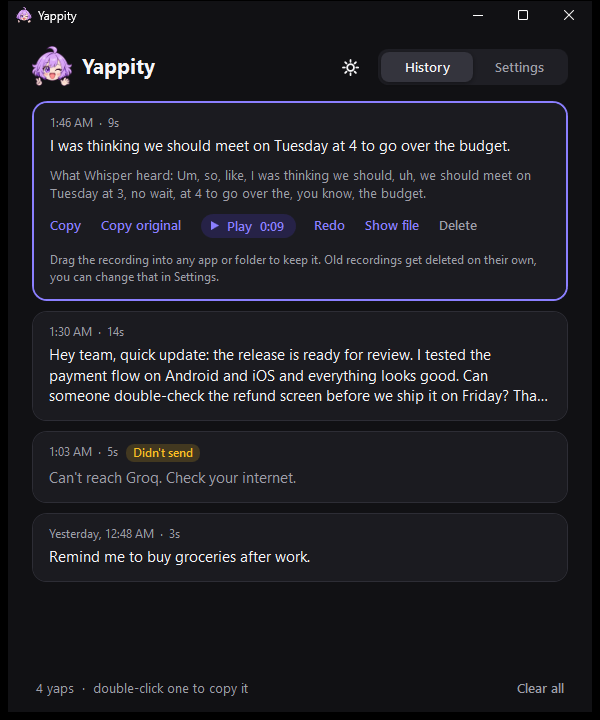
Yappity is free voice typing for Windows and Android. You yap, it writes it down and quietly cleans out the um's, uh's and false starts. Your words stay yours.
Free forever on Groq's free plan. Open source. No account, no subscription.

On Windows she types right where your cursor is. On Android she lives on the edge of your screen and copies the text for you, so GCash and your bank apps never complain.

jacob are we still on for tonight
you
are we still on for tonight
Pick a style and see what each one does with the same messy yap.
Windows 10 and 11. Lives in your tray and types straight into any app.
Android 8 and newer. Copies the text so you paste it, and GCash keeps working.
I can't afford a Mac. Lend me one and I'll port it.
Both apps need a free Groq key. It takes about a minute at console.groq.com/keys.




Groq gives everyone a free API key, and their servers turn your voice into text in about a second. You bring your own key, Yappity talks to Groq directly. There's no server of mine in between, so there's nothing for me to charge you for.
From your device straight to Groq, and nowhere else. No account, no analytics, no ads. Recordings stay on your device so you never lose a yap, and old ones get deleted on their own.
Typing into other apps on Android needs an Accessibility Service, and apps like GCash refuse to open while one is on. So Yappity copies the text instead, and your keyboard shows it as a paste suggestion. One tap.
Yes. Pick English + Tagalog and it keeps every word in the language you said it in, instead of translating half of it.
 Listening